The Distribution Problem
Days 1 through 3 built a blog I could write on. Day 4 is about making sure anyone can actually find it.
A personal blog with no RSS feed, no analytics, and no presence on any platform is a journal, not a publication. This session adds the plumbing that turns content into reach: a way for readers to subscribe, a way for me to see who's reading, a way to cross-post to larger platforms, and a new content format that leads with video.
The scope for today: RSS feed, analytics with an in-admin chart, syndication to a developer platform, and a Loom video embed component. Four features, one session, all from my phone — with the AI agent spawning parallel workers to build independent features simultaneously.
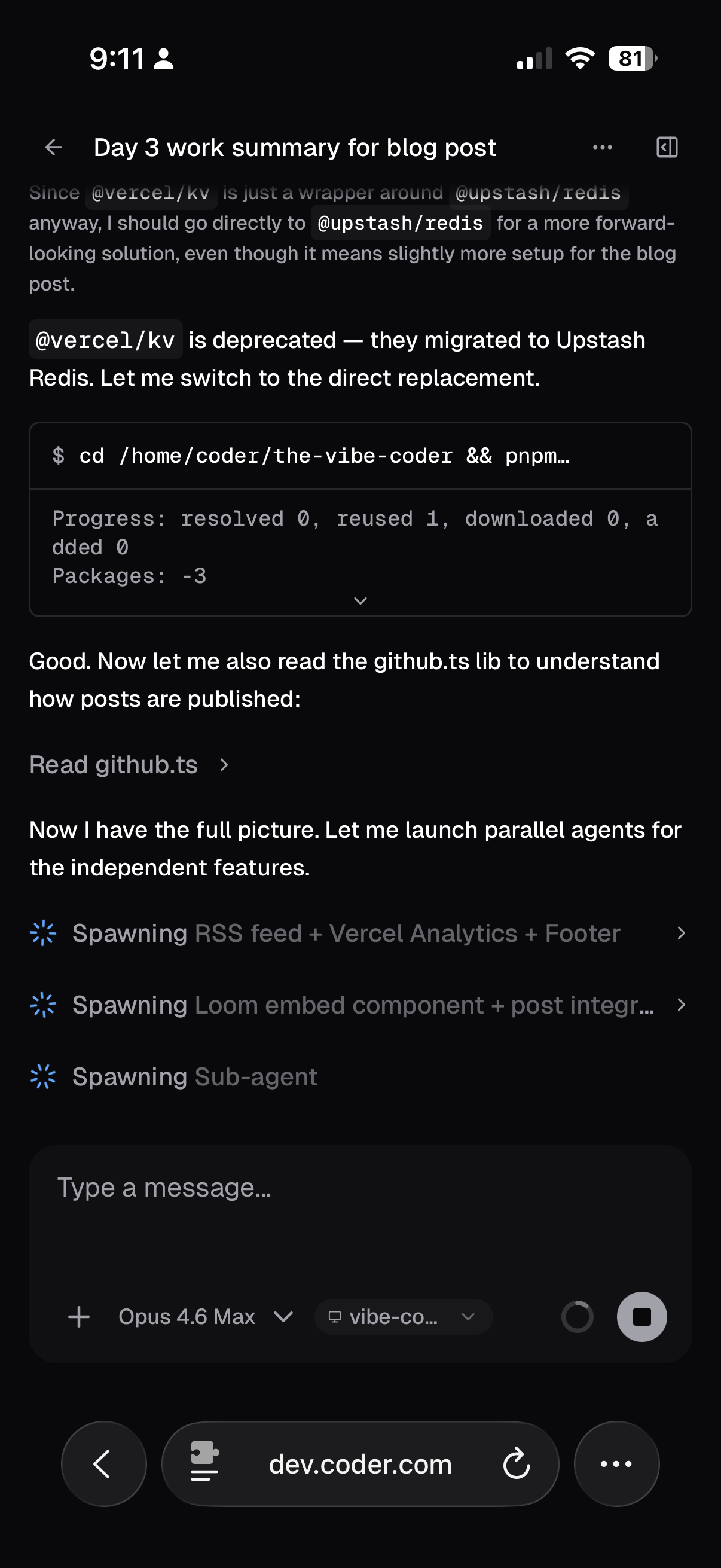
RSS Feed
The simplest feature with the longest history. RSS is 25 years old and still the best way to let readers follow a blog without handing over an email address.
The implementation is a single Next.js route handler at /feed.xml. It reads all published posts via the same getAllPosts() function that powers the homepage, then templates them into RSS 2.0 XML with proper RFC 822 dates, GUID links, and category tags.
Three additions total:
src/app/feed.xml/route.ts— the route handler- RSS autodiscovery link in
<head>— so feed readers find it automatically - RSS link in the footer — so humans find it too
No dependencies. RSS XML is simple enough to template as a string.
Analytics: Two Layers
I wanted analytics I could see without leaving my admin dashboard. That turned out to require two separate systems.
Layer 1: Vercel Web Analytics
Vercel offers built-in web analytics on the free Hobby plan. Setup is two lines: install @vercel/analytics, add <Analytics /> to the root layout. Privacy-friendly — no cookies, just a hashed identifier that resets daily.
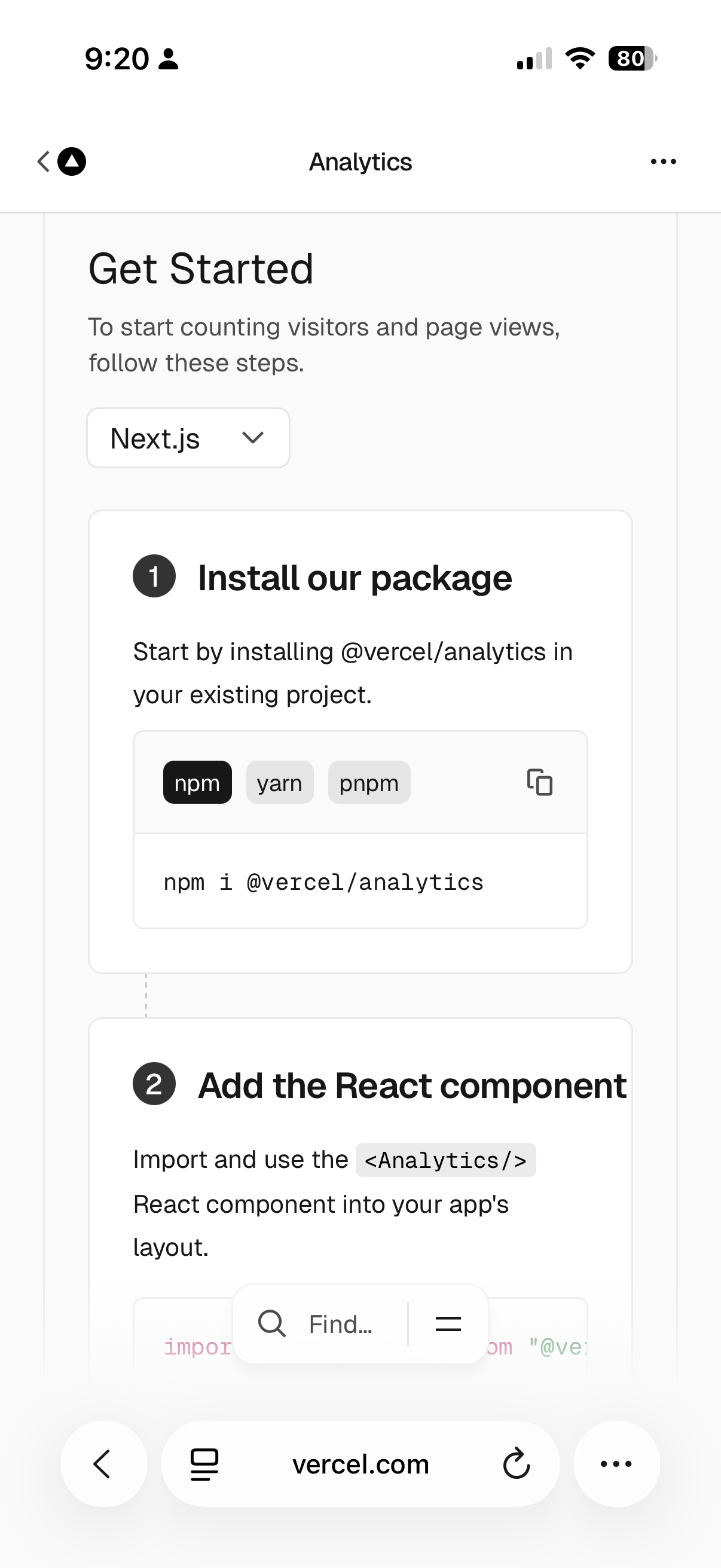
The catch: Vercel Web Analytics has no REST API. There's no way to query the data programmatically. You can see it in the Vercel dashboard, but you can't pull it into your own UI.
Layer 2: Custom View Counter with Upstash Redis
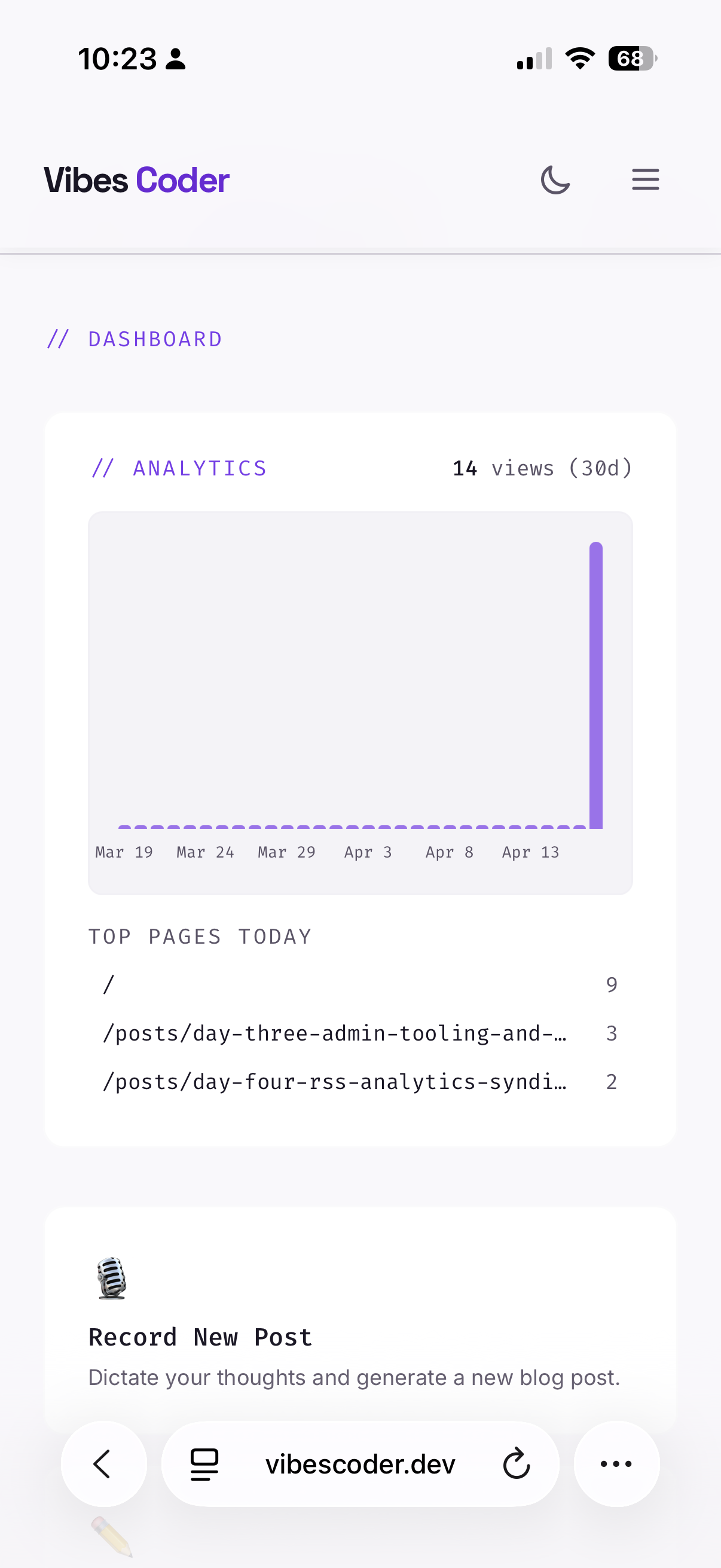
So we built our own. A PageViewTracker component fires a POST on every page load. An API route increments counters in Upstash Redis. An admin endpoint returns the last 30 days of data.
Why Redis? We're incrementing simple counters — views:2026-04-17:total — thousands of times a day. Redis is purpose-built for this: in-memory key-value store, atomic increments in microseconds. Postgres would be overkill for counting page views. Upstash's free tier (10K commands/day) is more than enough for a personal blog.
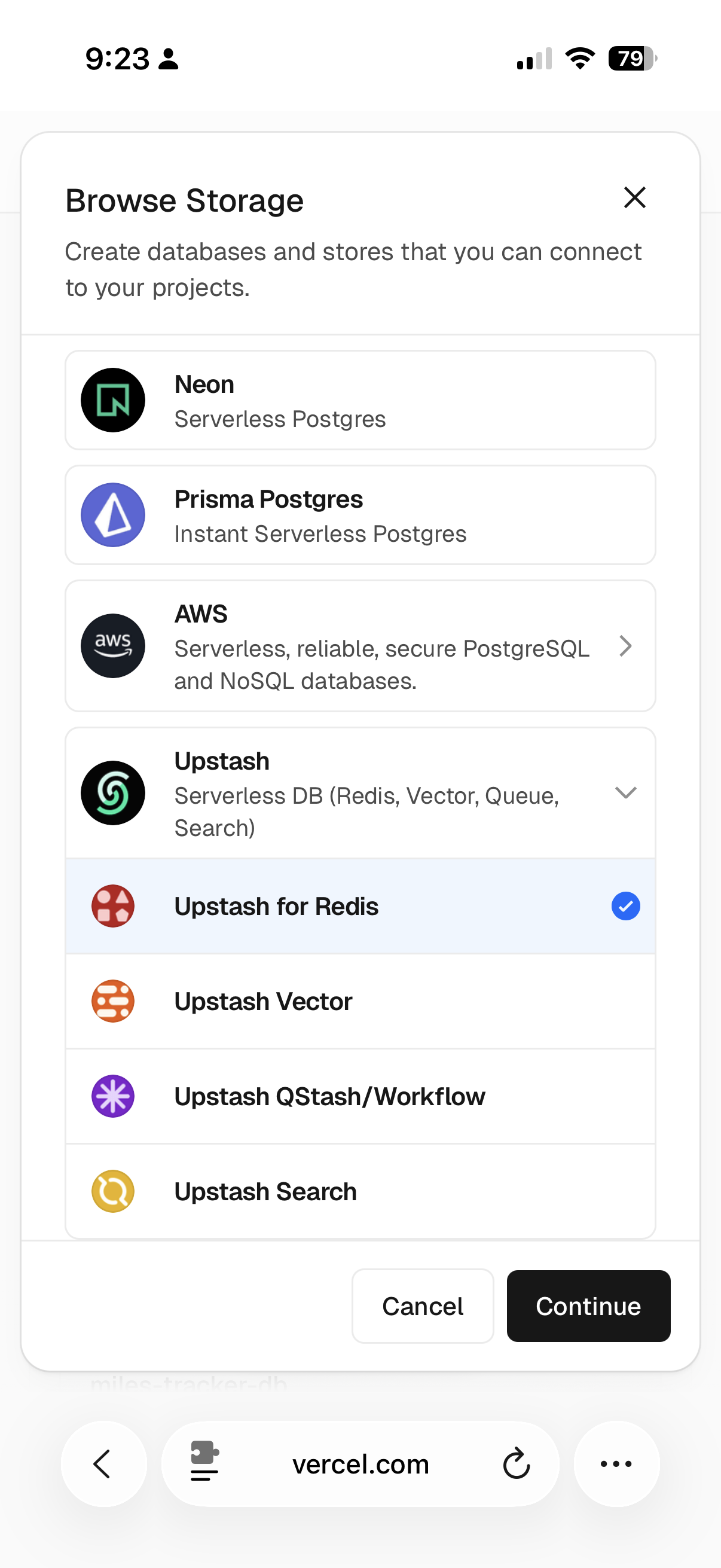
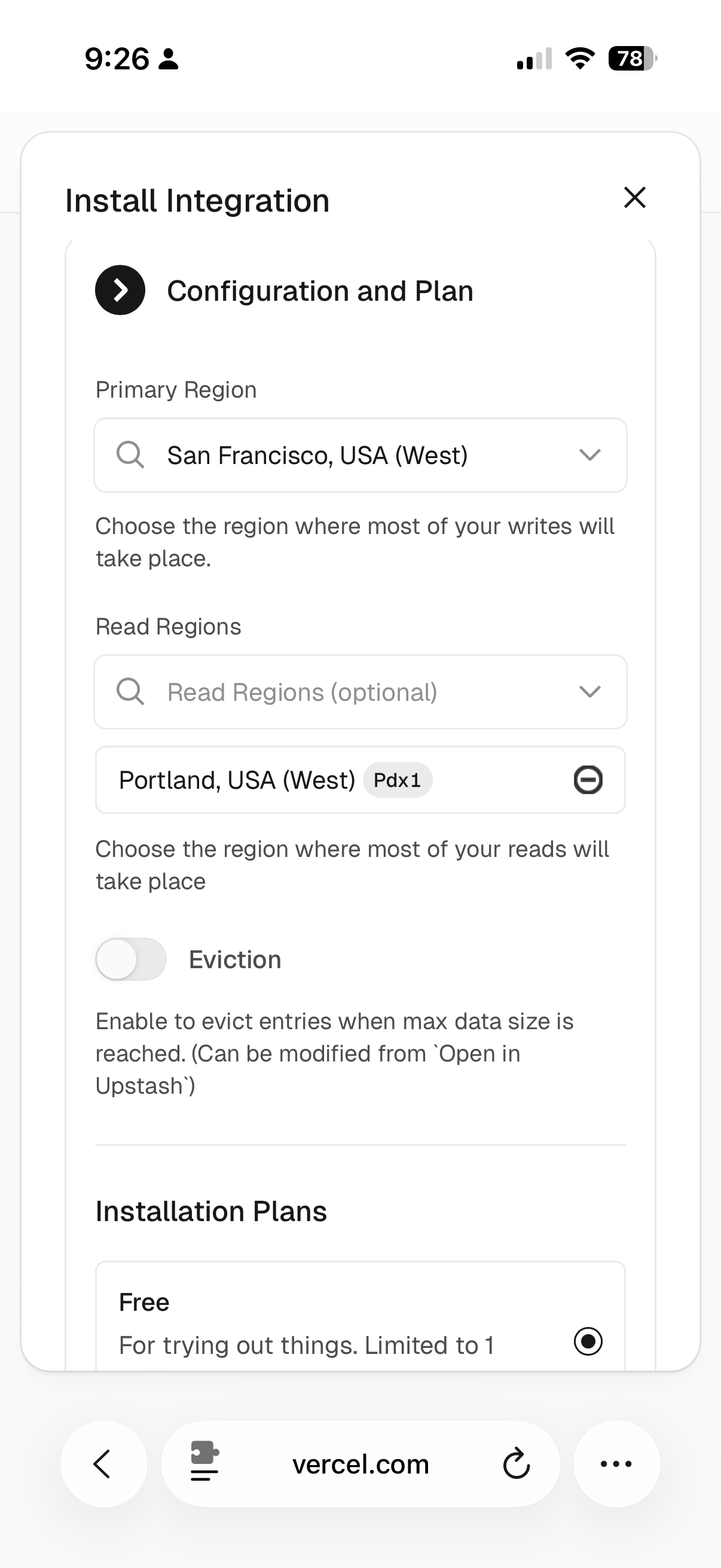
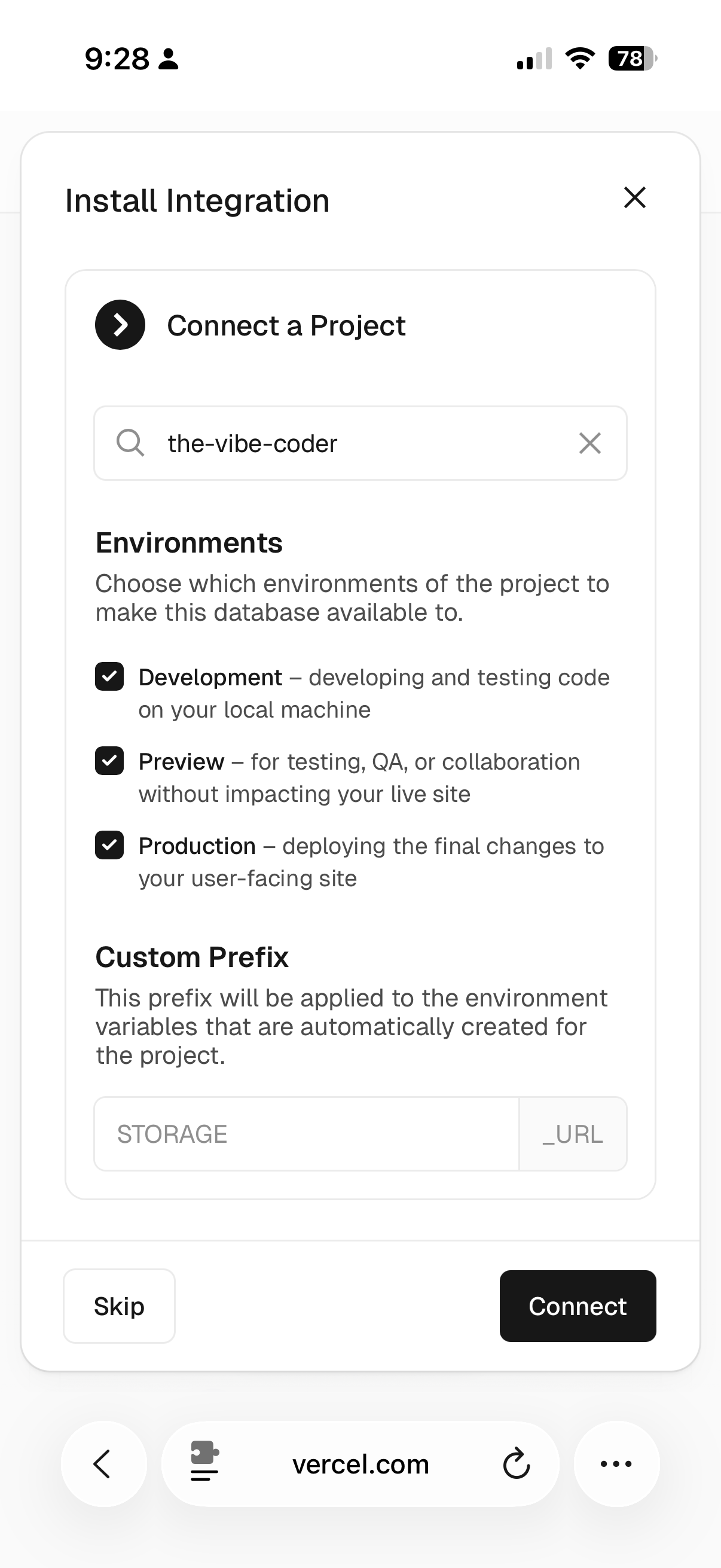
One detail worth noting: when connecting the database to your project, Vercel suggests a "Custom Prefix" for the environment variables. The default was STORAGE, which would have created STORAGE_URL and STORAGE_TOKEN. Our code expects KV_REST_API_URL and KV_REST_API_TOKEN — so the prefix needed to be changed to KV_REST_API before connecting.
The admin dashboard renders the analytics data as a CSS-only bar chart — no charting library, just calculated heights and the site's design tokens.
The Syndication Saga: Medium → Dev.to
This is the story I didn't expect to be writing.
The Plan: Medium
The original plan was Medium. It has the largest general audience for developer content, supports markdown via API, and lets you set a canonicalUrl pointing back to your own site for SEO credit. We built the full integration: an API route that reads a post, strips frontmatter, and publishes to Medium as a draft. One-click syndication from the admin bar.
The Discovery: Medium Locked the Door
When I went to generate an integration token in Medium's settings, the option wasn't there.
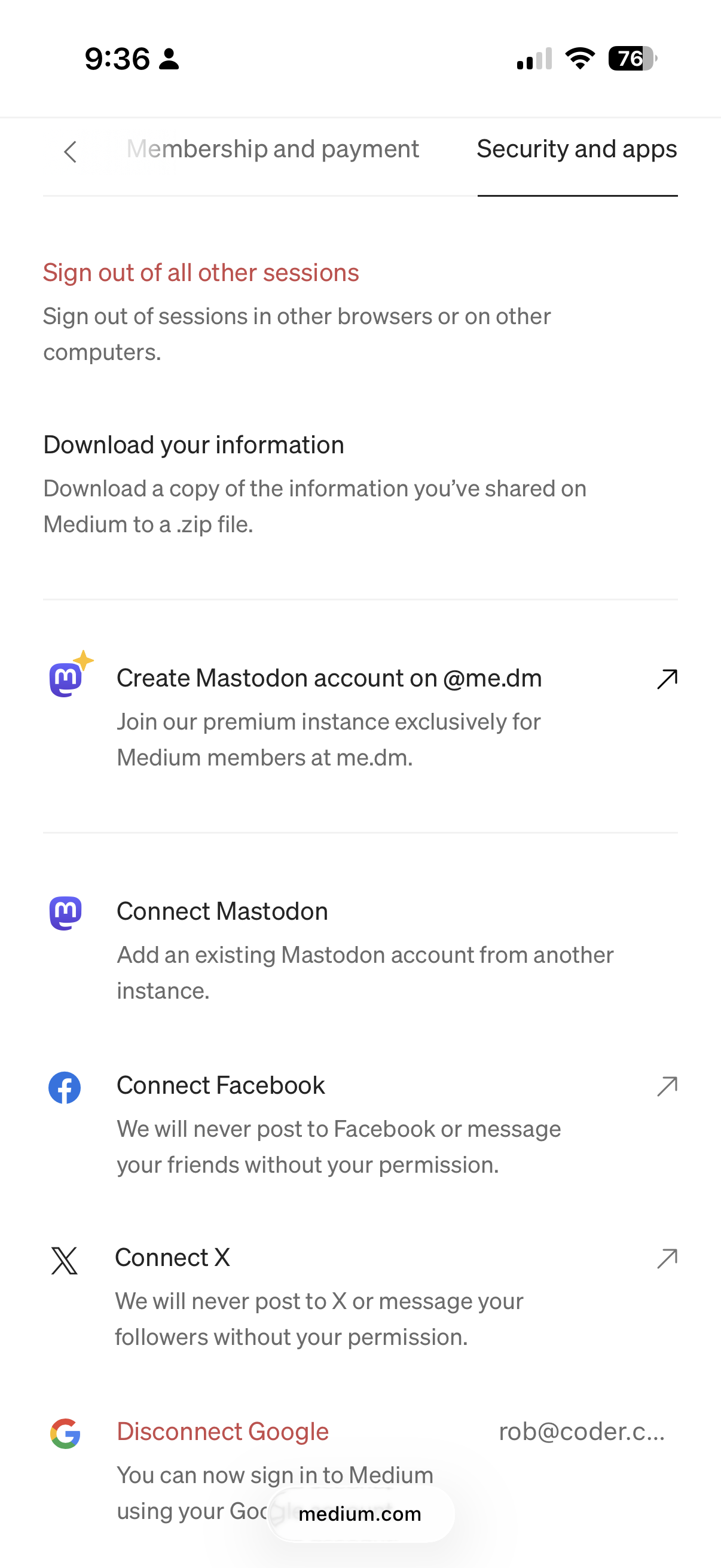
After some research: Medium stopped issuing new integration tokens as of January 2025. Existing tokens still work, but new accounts can't get one. The API docs repo was archived in March 2023. Medium wants content in but doesn't want developers building on their platform anymore.
We built the syndication, then discovered the platform locked the door.
The Pivot: Dev.to
After researching alternatives — Dev.to, Hashnode, Hackernoon, DZone — Dev.to was the clear winner:
- Open API with free API keys (generated in settings, takes 10 seconds)
- Markdown-native with syntax highlighting — perfect for a technical blog
- Canonical URL support — SEO credit stays with the original
- Large developer community — articles can reach tens of thousands of readers
- No paywall — readers see your content without friction
- Draft mode — review before publishing
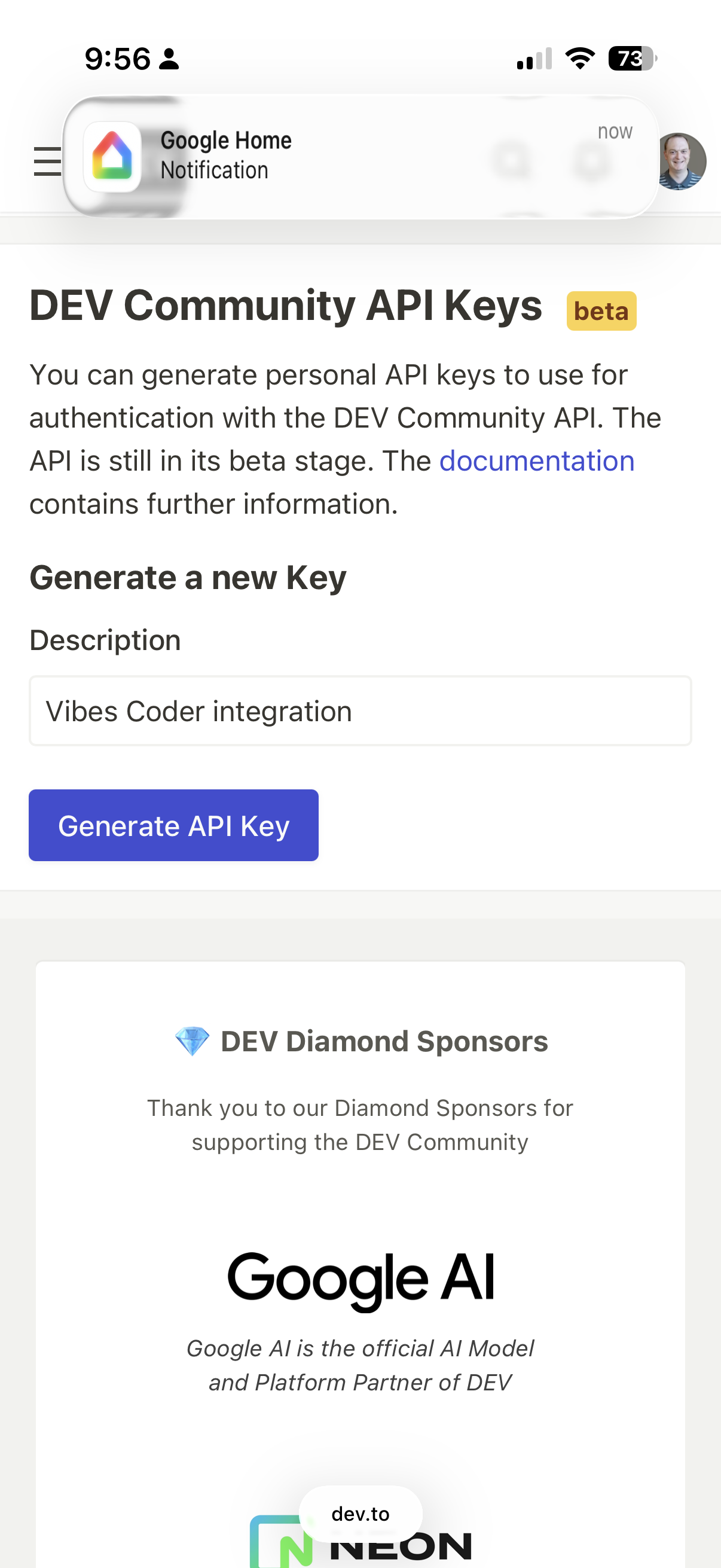
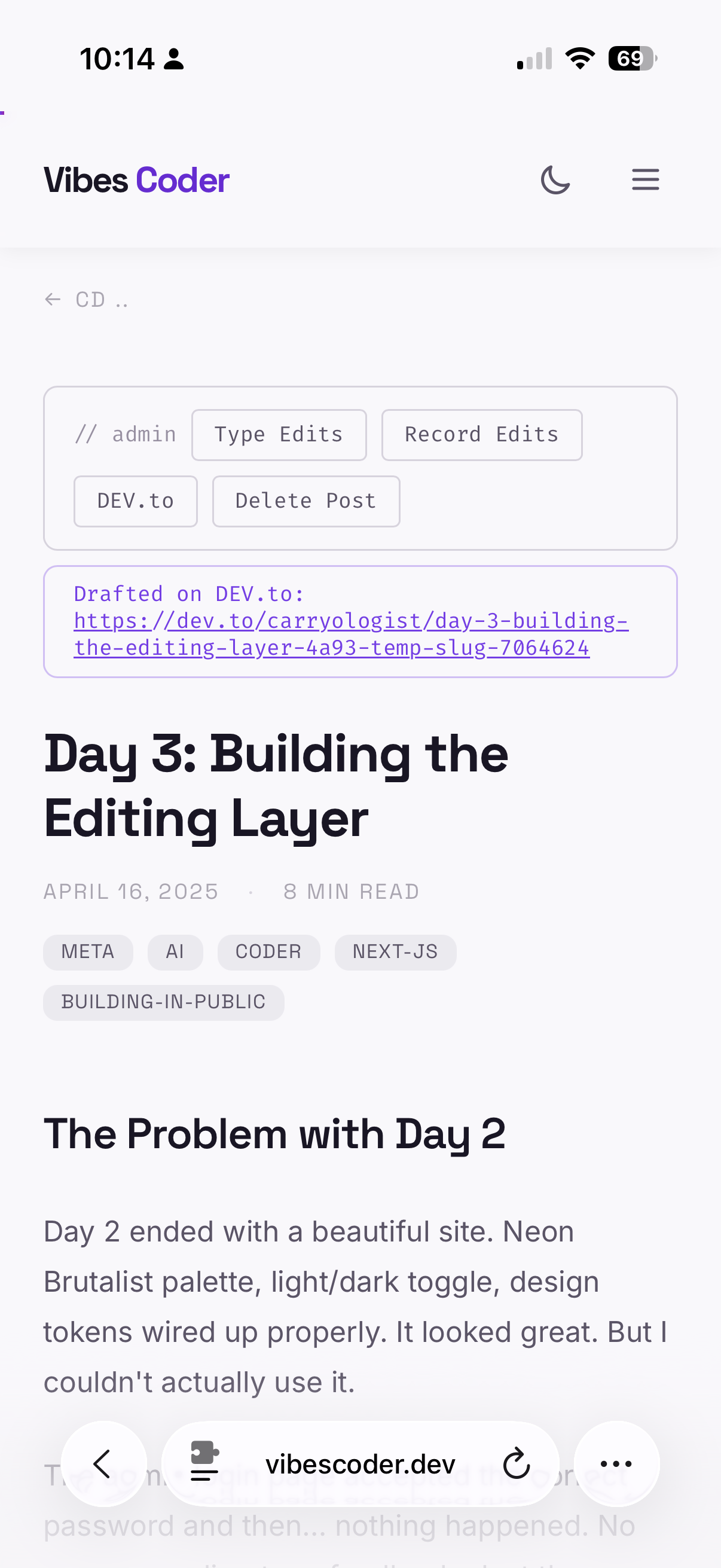
[Note: Want proof this is authentic? I kept the Google Home notification in my screenshot. That's my cameras picking up my cat, Snickers, back home. Don't forget, this is all from Cabo so far. If Snickers isn't zoombombing my meetings at home, he's notificationbombing my vibe coding. Cats gonna cat, amirite?]
The code swap took 15 minutes. Same architecture, different endpoint. The Dev.to API accepts { article: { title, body_markdown, canonical_url, tags, published } } with an api-key header. One env var instead of two.
One gotcha: Dev.to tags can't contain hyphens. Our tags like next-js and building-in-public had to be sanitized — stripped to nextjs and buildinginpublic. A .replace(/[^a-z0-9]/gi, "") in the API route handles it.
Why Not Substack?
Substack has no official public API for publishing. Unofficial libraries exist but rely on scraping session cookies — fragile and arguably violates their terms of service. Substack does support importing via RSS feed (which we now have), but that's a one-time bulk import, not ongoing syndication.
The Distribution Strategy
For maximum reach, the play is:
- Dev.to — automated via API, one-click from admin bar
- Medium — manual "Import a Story" from your post URL (still works, adds canonical automatically)
- Hackernoon — manual submission for your best pieces (editorial review, but great Google ranking)
Your personal site is always the source of truth. Everything else is syndication with canonical links pointing home.
Loom Video Embed
The immediate implementation is simple: add an optional loomUrl field to post frontmatter, and when present, render a responsive Loom video player as the hero element at the very top of the post.
---
title: "My Post"
loomUrl: "https://loom.com/share/abc123"
---The Bigger Vision
The real power isn't just embedding videos — it's using them as a content source. Record a Loom video — screen share, talking head, whatever. Loom generates a transcript. Claude reads the transcript and generates a blog post with the video embedded at the top. The video is the hero content — readers can watch or read, their choice.
This makes the blog a dual-format publication. Some topics are better explained by showing your screen. Having both formats, generated from a single recording, is the kind of workflow that makes maintaining a blog sustainable.
The Loom-as-recording-source integration is queued for a future session. Today we laid the display foundation.
What I Learned
Vercel Analytics is great until you want your own dashboard. The product is polished, free, and privacy-friendly. But the lack of a query API means you can't build on top of it. For anything beyond "go look at the Vercel dashboard," you need your own tracking. The two-layer approach — Vercel for the full dashboard, custom Redis for the in-app chart — gives you both without paying for either.
Platform APIs reflect platform priorities. Medium wants content in; they locked the API. Dev.to wants developers building on their platform; they give you a key in 10 seconds. RSS remains the universal fallback because it doesn't depend on any platform's willingness to cooperate.
Build the syndication, then test the integration. We built a complete Medium integration before discovering the API was locked. The good news: the architecture was clean enough that swapping to Dev.to took 15 minutes. The lesson: validate platform access before writing code. Or at least, architect so the platform is a swappable detail.
Loom changes what "writing a blog post" means. When your blog can start from a video recording, the barrier to publishing drops. You don't need to sit down and type — you can record your screen while debugging, narrate your thought process, and let the AI turn it into a written post with the video embedded. The blog becomes a byproduct of work you're already doing.
Post-Session Update
After publishing and actually using everything above, a few things came up that were worth fixing in the same session. This is the building-in-public part — you ship, you use it, you find the friction.
The 2025 Bug: When AI Gets the Year Wrong
Every blog post on this site had the wrong year. Day 1 through Day 4 — all dated 2025 instead of 2026. The footer copyright said 2025 too.
The root cause: AI models have a training data bias toward 2025. The original Day 1 and Day 2 posts were authored with 2025 dates, and the agent writing Days 3 and 4 perpetuated it by following the existing convention rather than checking the server clock. Nobody caught it until a reader pointed it out.
The manual fix was easy — update four frontmatter dates and a footer string. The systemic fix was more interesting: we added a fixDateYear() function to the post API that runs on every create and update. If the frontmatter date's year is more than a year behind the server clock, it auto-corrects the year before committing. So even when an AI writes date: '2025-04-17', it lands in GitHub as 2026-04-17.
The voice recording → Claude generation pipeline was already safe — it uses new Date() from the server. This closes the gap for direct authoring and inline edits. If you're building with AI, validate your dates. The model's sense of "now" may not match yours.
Image Upload in the Inline Editor
Adding screenshots to the Day 4 post required uploading images to GitHub via the web UI — a workflow that pulled me out of the editing flow entirely. That friction was enough to warrant building proper image upload directly into the inline editor.
Now when you're editing a post, there's an "Add Image" button in the toolbar. Tap it, pick a photo from your camera roll, and it uploads to public/images/{slug}/ via the GitHub API and inserts the markdown reference at your cursor position. No context switching, no GitHub web UI.
Clickable Post Cards
A reader told me she was tapping the post description on the homepage and nothing happened — only the title was linked. We made the entire card clickable using an absolute-positioned link layer behind the content, with tags and admin controls remaining independently clickable via z-index.
Save Confirmation
The inline editor's save button worked but gave no visual feedback — you'd hit Save, see nothing, and wonder if it went through. Added a prominent confirmation banner: "✓ Saved — Committed to GitHub — Vercel will redeploy in a few seconds." It shows for 3.5 seconds before the page reloads with fresh content.
Footer Contrast
The footer links were nearly invisible — too light against the background. Bumped from text-outline-variant to text-on-surface-variant for all links except Admin, which stays intentionally dim.
By the Numbers
- 1 RSS feed generated from existing post data
- 2 analytics layers (Vercel dashboard + custom Redis chart)
- 2 syndication platforms explored, 1 locked (Medium), 1 shipped (Dev.to)
- 1 video embed component (Loom, hero placement)
- 1 image upload feature added to the inline editor
- 1 PhoneScreenshot MDX component for mobile screenshots
- 1 date auto-correction guard in the post API
- 9 screenshots embedded with purpose-built layout components
- 5 QoL fixes (tags, admin bar, save confirmation, clickable cards, footer contrast)
- 4 wrong dates caught and corrected across all posts
- 0 paid services — everything runs on free tiers