Every post on this blog has tables. Comparison matrices, audit checklists, benchmark results. And every time I share one on LinkedIn or X, I screenshot the browser, crop it in Preview, and hope the resolution isn't garbage. The images look terrible. Dark-mode text on a light-mode screenshot. No attribution. No brand.
I wanted readers to be able to share a single table or code block as a clean, branded PNG. One click. No screenshot. No cropping. The feature ended up taking eight commits — one to build it, seven to fix it. Here's the full story.
The Architecture
The feature has four layers, each with a clear job:
| Layer | File | Job |
|---|---|---|
| MDX integration | MDXComponents.tsx | Wraps <pre> and <table> in share wrappers |
| Content extraction | ShareableSnippet.tsx | Reads raw text from the rendered DOM |
| UI + actions | ShareButton.tsx | Popover with download, copy, and social links |
| Image generation | /api/share-image/route.tsx | Satori/ImageResponse → branded PNG |
The flow is: reader clicks Share → ShareableSnippet extracts content from the DOM → ShareButton POSTs it to the API → Satori renders a React component tree into a PNG → user downloads or copies.
Why Server-Side Rendering?
I could have done this client-side with html2canvas or dom-to-image. Both have problems: they struggle with CSS custom properties, shadow DOM, and cross-origin fonts. They also produce inconsistent results across browsers.
Satori — the library behind next/og — takes JSX and renders it to SVG, then to PNG. It's deterministic. The same input always produces the same image. And since Next.js bundles it, there are zero new dependencies.
The MDX Factory Pattern
MDX component maps are plain objects. But share buttons need post-level context — the slug and title for the download filename and footer branding. The solution is a factory function:
export function createMDXComponents(slug: string, title: string) {
  return {
    ...MDXComponents,
    pre: ({ children, ...props }) => (
      <ShareableSnippet type="code" slug={slug} title={title}>
        <pre {...props}>{children}</pre>
      </ShareableSnippet>
    ),
    table: ({ children, ...props }) => (
      <ShareableSnippet type="table" slug={slug} title={title}>
        <table {...props}>{children}</table>
      </ShareableSnippet>
    ),
  };
}The post page calls createMDXComponents(slug, post.title) and passes the result to <MDXRemote>. Every <pre> and <table> in every post automatically gets a share button. No per-post configuration.
DOM Extraction, Not React Tree Walking
The first implementation tried to walk the React children tree to extract table content. It didn't work — server-rendered MDX elements aren't introspectable on the client the way you'd expect.
The fix was pragmatic: use a ref on the container and query the real DOM at click time:
function getTableContent(): string {
  const rows = containerRef.current?.querySelectorAll("tr");
  if (!rows?.length) return "";
  return Array.from(rows)
    .map((row) =>
      "| " + Array.from(row.querySelectorAll("th, td"))
        .map((cell) => cell.textContent?.trim() || "")
        .join(" | ") + " |"
    )
    .join("\n");
}This reconstructs markdown from the DOM. The API parses it back into structured data. A round-trip, but it keeps each layer self-contained — the API doesn't need to know anything about how the blog renders tables.
The Bug Parade
This feature was built in 8 commits over one session. One feature commit, seven fixes. Here's what went wrong and why.
Bug 1: Invisible on Mobile
The share button was md:opacity-0 md:group-hover:opacity-100 — desktop hover-only. On mobile, it was permanently invisible.
Fix: Always visible at 60% opacity on mobile, hover-reveal on desktop.
Bug 2: Popover Transparency
The popover background was semi-transparent. The table content underneath bled through, making the popover text unreadable against the grid of data behind it.
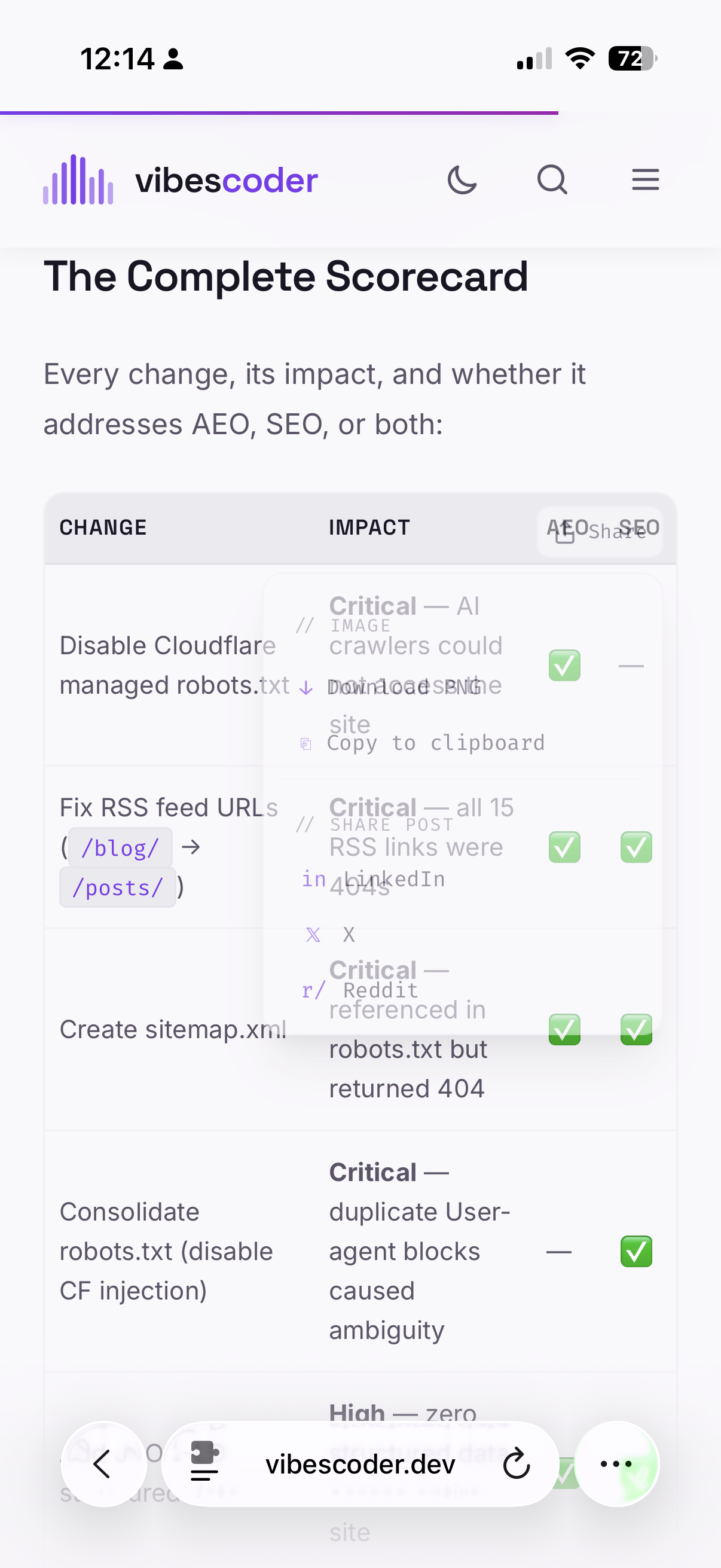
Fix: Switched from a translucent backdrop-blur to a solid bg-bg background. Two commits — the first attempt still had partial transparency, the second nailed it.
Bug 3: Popover Clipped by Overflow
Tables scroll horizontally on mobile with overflow-x: auto. The popover rendered inside the table's container, so it was clipped at the container edge.
Fix: Render the popover via createPortal(popover, document.body) with absolute positioning calculated from getBoundingClientRect(). The popover escapes any parent overflow.
Bug 4: The 401 Mystery
After the first deployment, clicking "Download PNG" showed "Failed to generate image."
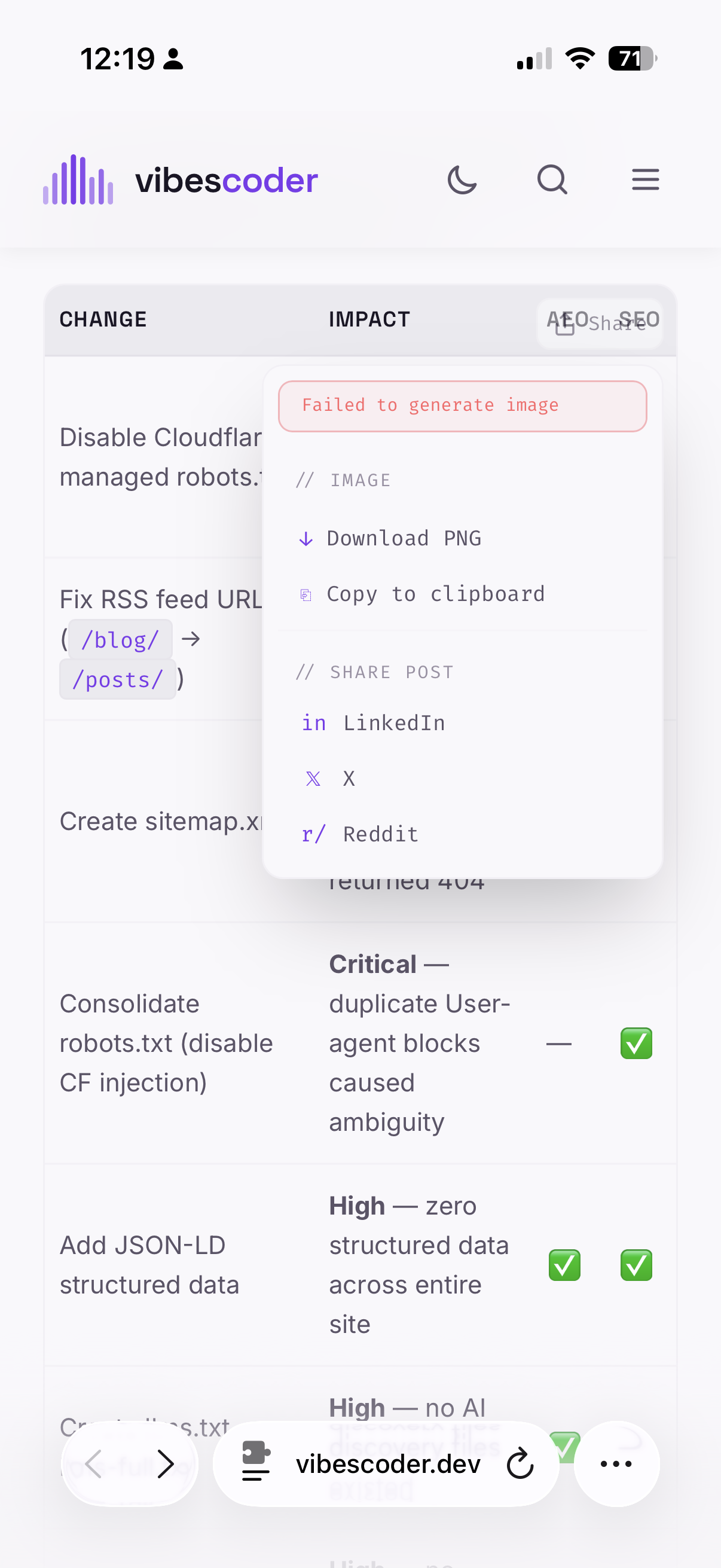
The API returned {"error":"Unauthorized"} — but the fetch wrapper swallowed the status code and showed a generic message. The middleware protects all /api/* routes behind admin auth. The share-image endpoint is a public feature — readers on blog posts need it. But it wasn't in the allowlist.
Fix: One line in middleware.ts:
pathname === "/api/share-image"The lesson: always log the actual HTTP status code in your error handlers, not just a boolean success check.
Bug 5: Satori Crashes on undefined
After fixing the 401, the API still returned 500. The server logs showed:
Error: Cannot read properties of undefined (reading 'trim')
The cause: Satori's CSS parser calls .trim() on every style value. If you pass width: undefined — which happens with width: i === 0 ? "200px" : undefined — it crashes.
Fix: Conditional spread instead of ternary:
// Crashes Satori
style={{ width: i === 0 ? "200px" : undefined }}

// Works
style={{ ...(i === 0 && { width: "200px" }) }}This took the longest to diagnose. The stack trace pointed into minified Satori internals. I had to write a standalone Node.js test script, isolate each CSS property, and binary-search to the failing one:
node -e '
const { ImageResponse } = require("next/og");
const React = require("react");
const h = React.createElement;

async function test(label, jsx) {
  try {
    const img = new ImageResponse(jsx, { width: 1200, height: 630 });
    await img.arrayBuffer();
    console.log(label, "OK");
  } catch (e) {
    console.log(label, "FAIL:", e.message.split("\\n")[0]);
  }
}

test("width:undefined",
  h("div", {style: {display:"flex", width:undefined}}, "test")
);
'Output: width:undefined FAIL: Cannot read properties of undefined (reading 'trim'). There it was.
Bug 6: The Symlink Build Break
While fixing bugs locally, I had symlinked the content repo into the engine repo for dev convenience:
ln -sf ~/the-vibe-coder-content/content ~/the-vibe-coder/contentThose symlinks got committed. On Vercel, the build script runs mkdir -p content — but mkdir -p fails when a dangling symlink (not a directory) already exists at that path. The symlink pointed to a path that doesn't exist in the Vercel build environment.
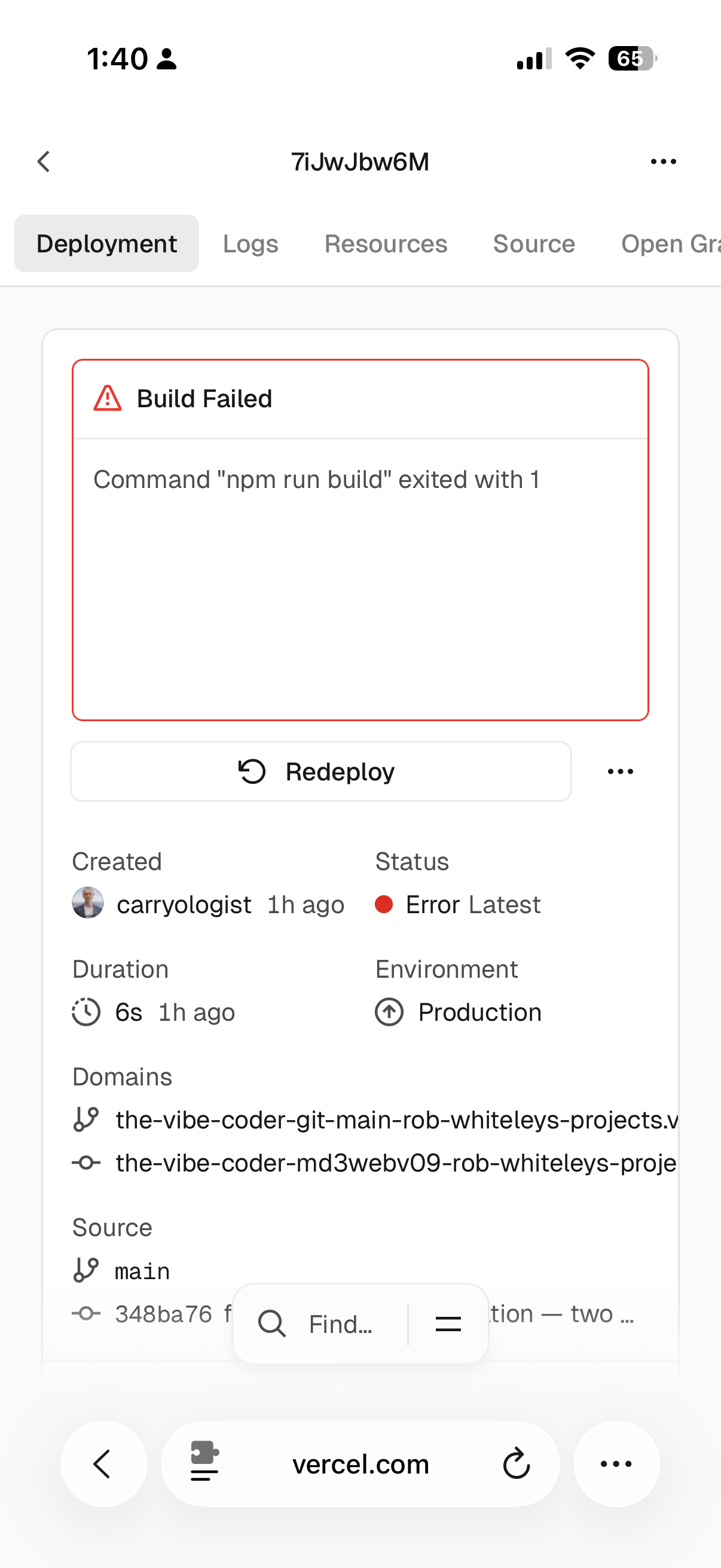
Fix: git rm --cached content public/images and added both to .gitignore.
Dynamic Sizing
The first working version used a fixed 1200×630 canvas — the standard Open Graph size. It looked fine for medium tables. But a 5-line code snippet wasted 80% of the horizontal space, and a 20-row audit table truncated 15 rows with a "+15 more rows" message.
The feedback was clear: completeness of content is more important than size consistency.
The final approach: calculate both width and height from the content.
Tables: Always 1200px wide (columnar data benefits from width). Height = header + all rows + footer. No truncation. A 20-row table gets a 1342px-tall image.
Code: Width scales to the longest line at ~8.4px per monospace character, clamped between 480px (minimum for the footer branding) and 1200px. Height = all lines + padding.
function calcDimensions(type, content, language, caption, tableData) {
  let width, contentHeight;

  if (type === "table" && tableData) {
    width = TABLE_WIDTH; // 1200
    contentHeight = calcTableHeight(tableData.headers, tableData.rows);
  } else {
    const lines = content.split("\n");
    const maxLineLen = Math.max(...lines.map(l => l.length));
    width = Math.ceil(maxLineLen * CODE_CHAR_WIDTH + CODE_BLOCK_PAD_X + PADDING_X * 2);
    width = Math.min(MAX_WIDTH, Math.max(MIN_WIDTH, width));
    contentHeight = CODE_PADDING + lines.length * CODE_LINE_HEIGHT;
  }

  return {
    width,
    height: Math.max(MIN_HEIGHT, PADDING_Y * 2 + contentHeight + FOOTER_HEIGHT + 20),
  };
}The result: a 5-line TypeScript snippet renders at 480×350. The same 20-row audit table renders at 1200×1342 with every row visible.
The Design
The generated images match the blog's dark theme: #0a0a0b background, #dcb8ff primary accent, system sans-serif for tables, monospace for code. Every image includes:
- The content (table or code) — fully rendered, no truncation
- A branded footer with the waveform logo, "vibescoder" wordmark, and the post title
- Rounded corners and subtle borders matching the blog's card aesthetic
For tables, the first column gets a fixed 220px width and the primary accent color. Header rows use uppercase with letter spacing. Alternating row backgrounds provide scanability.
By the Numbers
- 8 commits: 1 feature, 7 fixes and improvements
- 0 new npm dependencies (Satori is bundled with Next.js)
- 4 layers: MDX integration → DOM extraction → client UI → server image generation
- 6 distinct bugs fixed before it worked end-to-end
- 480px → 1200px dynamic width range for code snippets
- 20 rows rendered in the largest table image (was truncated to 5, now shows all)
- 1 middleware line that blocked every public user for an entire deploy