Day 5: Week 1 Challenge Complete!
Week One: That's a Wrap
And that's a wrap on week one.
I set myself a challenge: could I build a working personal website in five days, spending 60–90 minutes each day, using nothing but my iPhone, all while lounging in a cabana in Cabo?
The answer? Absolutely.
- Timeline: 5 days
- Daily commitment: 60–90 minutes
- Device: iPhone only
- Location: Cabana in Cabo (because why not mix work with paradise?)
- Goal: A functioning personal blog to catalog my journey through AI technologies
The blog is live, has an admin dashboard, voice-to-post pipeline, RSS, analytics, syndication, and — as of today — a commenting system and a public GitHub repo. There's something satisfying about proving you don't need a fancy setup or hours of uninterrupted coding time to ship something meaningful.
But Day 5 wasn't about adding flashy features. It was about polish, research, and getting the house in order before opening the doors.
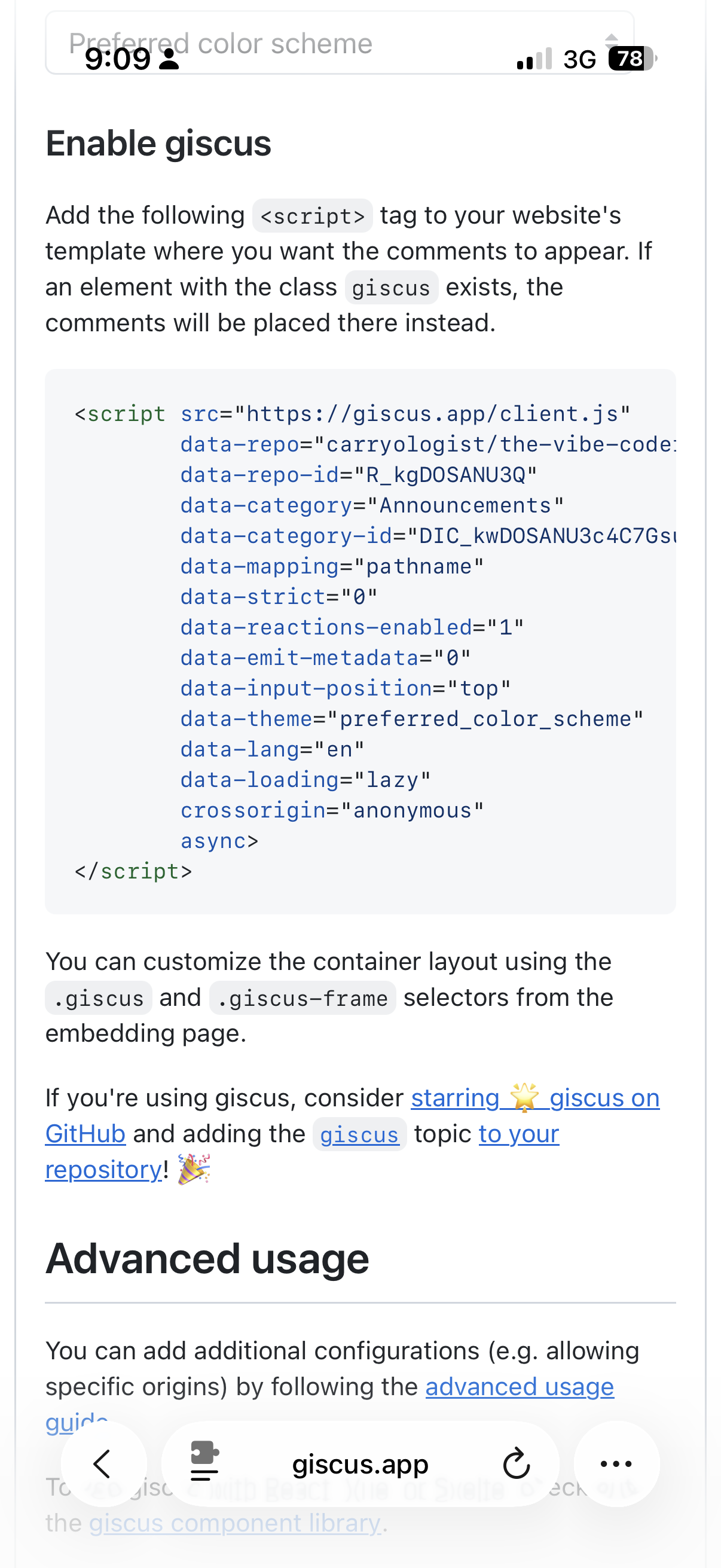
Blog Comments with Giscus
Every blog needs a way for readers to respond. The question was which commenting system to use. Disqus is bloated and ad-heavy. A custom solution with Upstash would mean building auth, moderation, and spam filtering from scratch. Since all the blog content already lives on GitHub, Giscus — a commenting system powered by GitHub Discussions — was the natural fit.
Giscus works by mapping each blog post to a GitHub Discussion thread. Readers sign in with their GitHub account to comment. No database, no third-party data, no ads. Comments live right in the repo's Discussions tab.
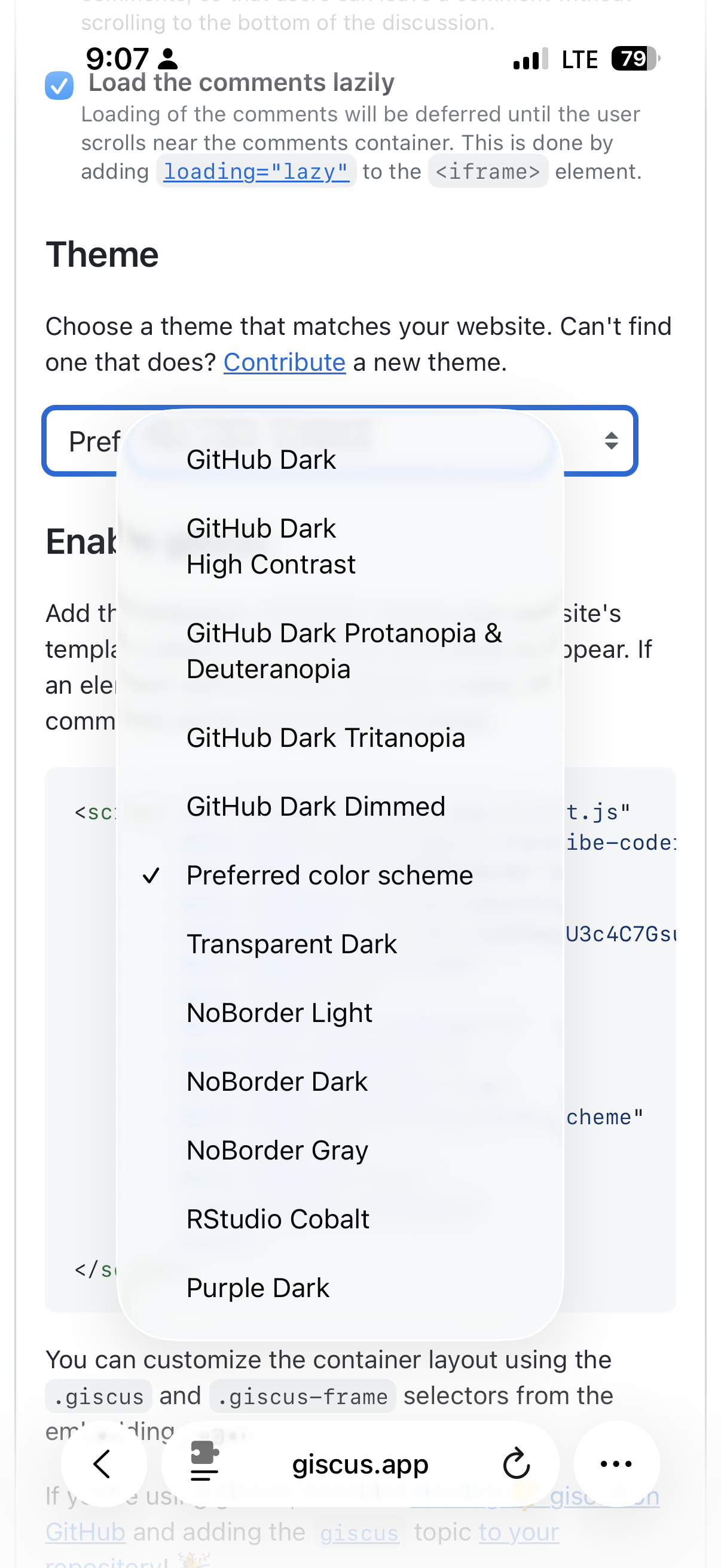
The implementation is a React component that watches the site's data-theme attribute and syncs the Giscus iframe theme in real time. Toggle from dark to light mode, and the comments follow instantly — no page reload.
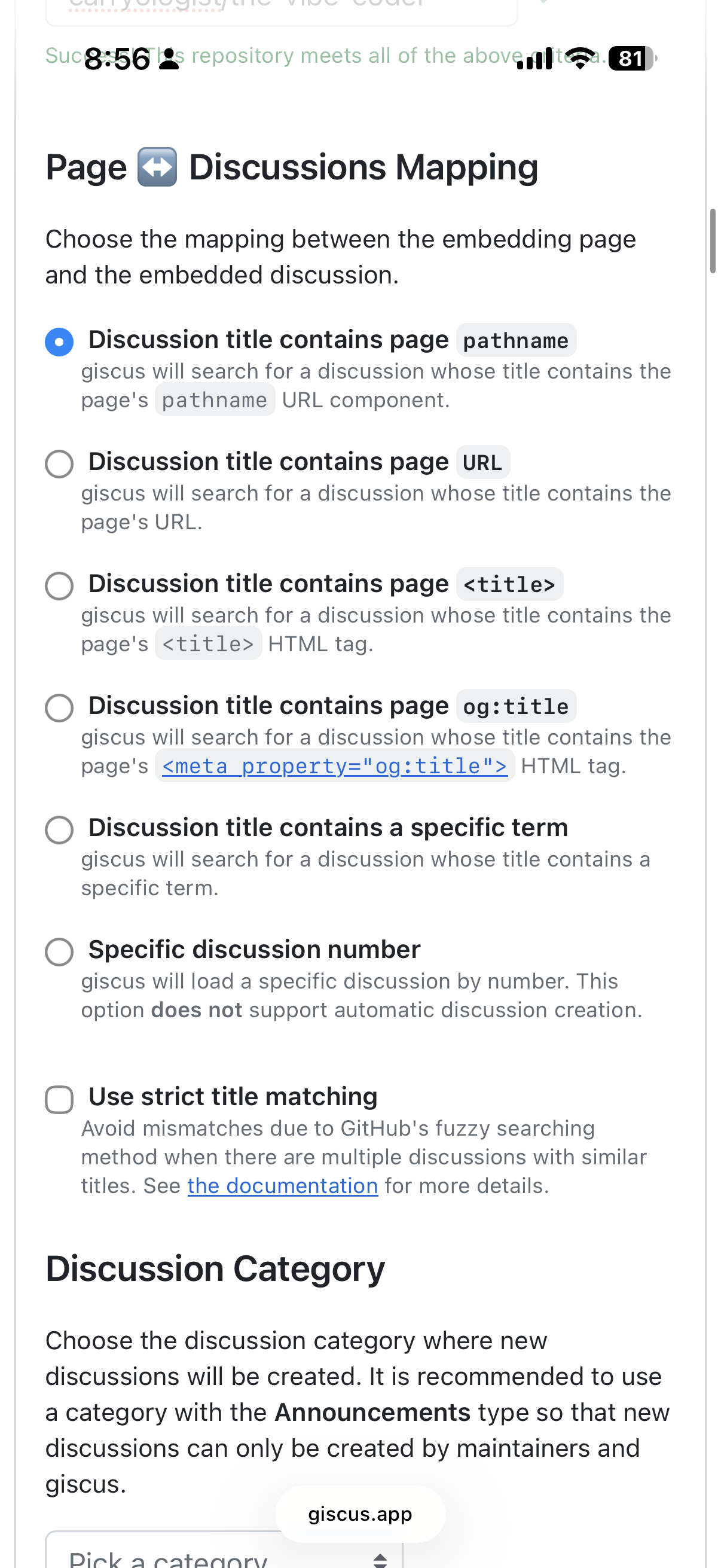
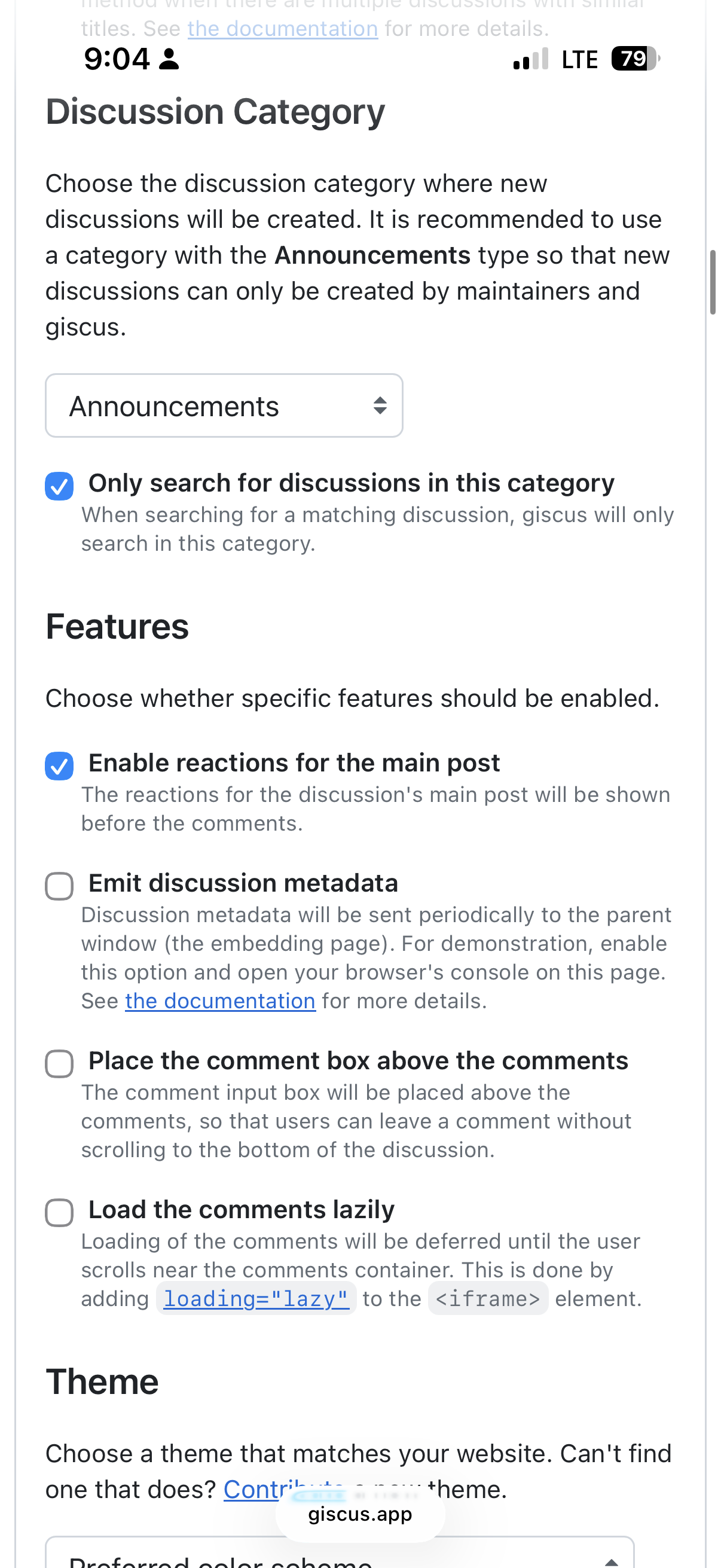
There was a catch: Giscus requires a public repository. Ours was private. That single requirement kicked off the most interesting part of Day 5.
Opening the Repo: Security First
Making a repo public isn't something you do casually. If there's a hardcoded API key or a GPS-tagged photo buried in the history, you've got a problem. So before flipping the switch, I had the agent run a full security assessment.
What it checked:
- Every source file for hardcoded secrets, API keys, tokens, and passwords
- Git history for any commits that might have added and later removed sensitive data
- Image EXIF metadata for GPS coordinates or device information
- All environment variable references to verify nothing was hardcoded
- Blog post content for accidental inclusion of credentials
- npm dependencies for known vulnerabilities
- Next.js configuration for exposed server-side values
The result: clean bill of health. All credentials were properly environment-variable'd. The git history even showed a prior commit that proactively scrubbed sensitive info. Zero npm audit vulnerabilities. No EXIF data risk on the images.
But "secure" isn't the same as "presentable."
The Cleanup Pass
I want a site my software engineers respect. Ok, maybe that’s too high a bar. How about: They don’t dismiss a slop.
It needed to be well-organized, no dead code, no leftover boilerplate from create-next-app.
The agent audited every file in the project. Here's what we found and cleaned up:
Removed — dead code and artifacts:
- 5 unused Next.js boilerplate SVGs (
next.svg,vercel.svg,globe.svg,file.svg,window.svg) — default files from project scaffolding that were never referenced - A 1.8 MB Stitch design ZIP from Day 2 — the design artifact that generated our theme, but doesn't belong in a source repo
/api/transcribe— a 501 stub route we'd reserved for Whisper integration (more on that below)/api/auth/statusand/api/posts/list— two API endpoints that existed but were never called by any frontend codecontent/day-3-prompt.md— session notes used to generate the Day 3 blog postpnpm-lock.yamlandpnpm-workspace.yaml— the repo uses npm, but these pnpm files were lingering from early setup, creating a confusing mixed-package-manager signal
Added:
.env.exampledocumenting all 8 required and optional environment variables- A rewritten
README.mdwith project structure, tech stack table, setup instructions, and the voice-first workflow explanation
Kept intentionally:
/api/settings— the backend for a future admin settings page. The API is functional, the UI isn't built yet. Dormant, not dead.
The final diff: 22 files changed, net reduction, zero build errors. The kind of commit that makes a repo feel maintained rather than abandoned.
The coder.com Blog Investigation
One item on the punchlist was adding author filtering to the Coder company blog. The idea: a footer link on vibescoder.dev that goes directly to my posts on coder.com/blog.
This turned out to be a research task, not a coding task. The Coder company blog lives in a separate repo (coder/coder.com), uses DatoCMS for content management, and Algolia for search. Authors exist in the CMS — there's a full CMSAuthor interface with aliases, bios, photos, and social links. And there's already category filtering via ?category=... query parameters using Algolia facets.
But there's no author filtering. No ?author=rob parameter, no clickable author links, no author facet in Algolia. The infrastructure is 80% there — it just needs someone to wire up the last mile, mirroring the existing category filter pattern.
Rather than build it myself in a repo I don't own, I filed an issue with the full implementation path. The coder.com team can prioritize it from there.
The Whisper / Wispr Mix-Up
This is my favorite moment from Day 5.
My CEO friends have been raving about "Whisper" for months. I had it on my to-do list: "Explore Whisper integration — evaluate for transcription pipeline." I assumed it was something we should build into the site.
So the agent started researching OpenAI Whisper — an open-source speech recognition model that OpenAI built and released in September 2022. It's trained on 680,000 hours of audio data, costs $0.006 per minute via API, and is genuinely impressive for transcription accuracy with accents and technical jargon.
But here's the thing: we already have client-side transcription via the Web Speech API. It's free, it's real-time, and it works great for the "talk into your phone → blog post" pipeline. Whisper would be a lateral move for that use case — same job, costs money, adds latency.
Then I realized: my friends aren't talking about OpenAI Whisper. They're talking about Wispr Flow (wisprflow.ai) — a completely different product by a completely different company.
OpenAI Whisper: An open-source ML model for speech recognition. No app. A developer tool.
Wispr Flow: A $700M-valued AI dictation app that works as a system-level voice keyboard across Mac, Windows, iOS, and Android. You activate it with a key press, speak naturally, and it inserts formatted text wherever your cursor is.
They just happen to have almost identical names. So, side note: Ask people to spell tech when discussing it at a networking event.
Here's the punchline: there's nothing to integrate. Wispr Flow already works with any text field on any website — including our admin pages. If I install the app, I can use it to dictate into the blog's transcript editor right now. No code changes needed.
The "Whisper integration" to-do item was based on a naming confusion. Researched, understood, dismissed. But it makes for a good story about the importance of actually understanding what you're evaluating before you build it.
The Small Fixes
A few quality-of-life improvements rounded out the session:
PostCard click targets: The homepage post cards had a full-card link behind the content, but the text, description, and date elements at z-10 were intercepting clicks. Added pointer-events-none to the non-interactive content so clicks pass through to the underlying link, while keeping tags and admin controls independently clickable.
About page refresh: Rewrote the intro section with a personal photo and actual context — CEO of Coder, the voice-first development experiment, what the blog is really about after four days of building. Kept "The Setup" section as-is.
Footer wrapping: "Company Blog" was line-wrapping on mobile in the footer nav. Shortened to "Blog." Sometimes the best fix is the smallest one.
What I Learned
Security assessments before going public are non-negotiable. Even when you're pretty sure the repo is clean, "pretty sure" isn't good enough. A systematic scan of every file, the git history, image metadata, and dependency vulnerabilities takes minutes and eliminates the category of risk entirely.
Clean repos are a form of communication. Removing five boilerplate SVGs doesn't change how the site works. But it signals that someone is maintaining this project with intention. When you're building in public, the repo is the resume.
Name confusion is real. I spent mental energy for weeks assuming "Whisper" was a product I needed to integrate. Five minutes of research revealed it was a completely different thing from what my friends were using. The lesson: when someone recommends a tool, ask for the URL, not just the name.
Building in public means shipping imperfect. The Giscus comments went live before I had the perfect category ID. The About page went up before I had the perfect bio. The repo went public before I had the perfect README. You iterate in public or you never ship.
This Is Just the Beginning
The blog is live and functional. But this was always just the foundation. I've got my eyes on a bigger project — one that uses everything I've learned about AI-native development, governed cloud agents, and vibe coding on the go. Next up? Self-hosting the entire stack. Stay tuned.
For now, I'm going to enjoy the fact that I shipped a working blog while sipping drinks in paradise. Sometimes the best coding sessions happen in the most unexpected places.
By the Numbers
- 1 commenting system added (Giscus via GitHub Discussions)
- 1 repo made public after security audit
- 1 issue filed on coder/coder.com for author filtering
- 1 About page rewritten with photo and bio
- 1 naming confusion resolved (Whisper ≠ Wispr)
- 7 files removed (dead code, boilerplate, artifacts)
- 2 files added (.env.example, GiscusComments component)
- 22 files changed in the cleanup commit
- 1.8 MB of design artifacts removed from the repo
- 0 security issues found in the audit
- 5 days, 1 iPhone, 1 cabana — blog complete